



Learning Series on Disability-Inclusive Election Technology


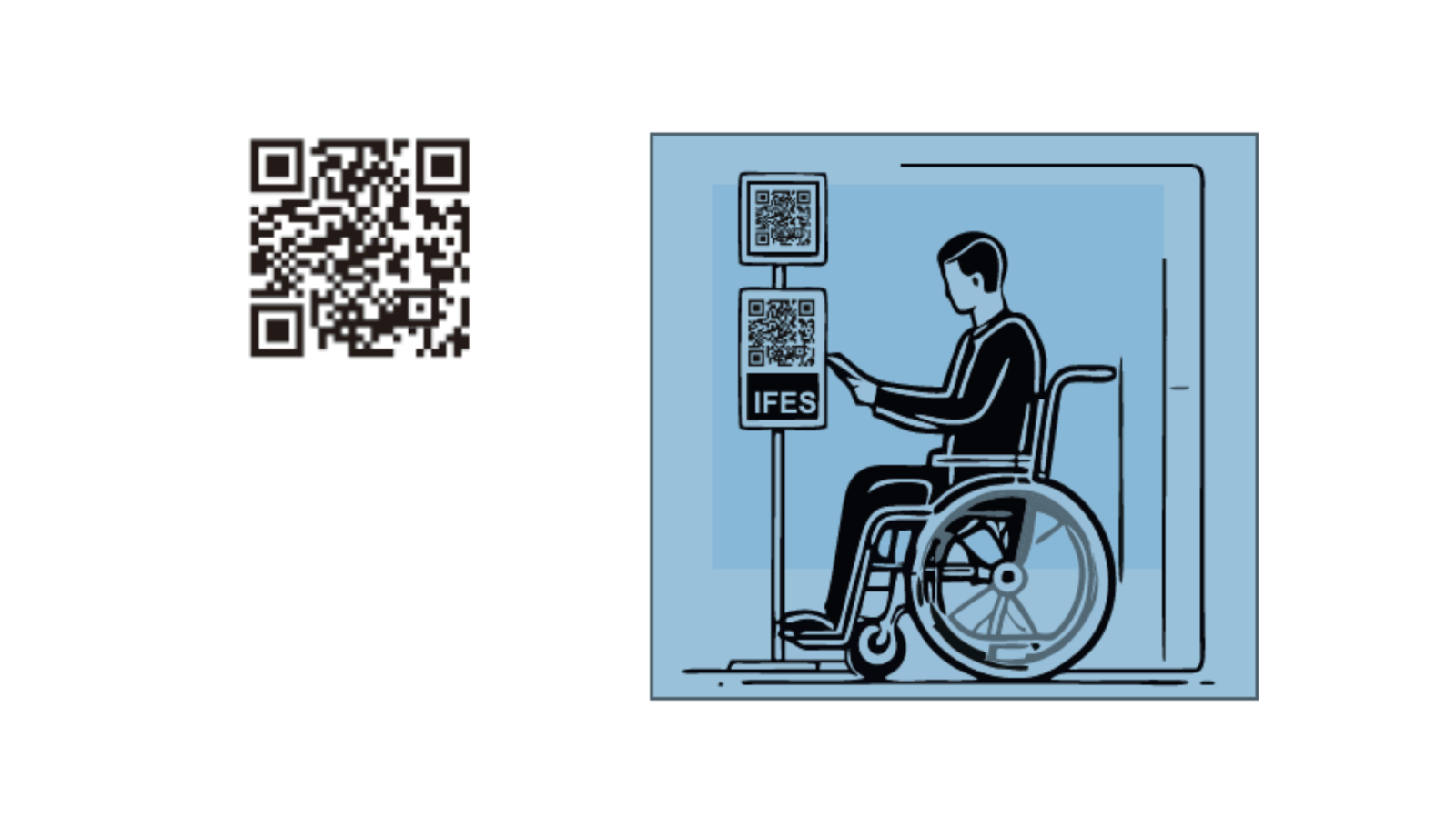
Quick response (QR) codes are used increasingly commonly. For electoral processes, they can help election management bodies (EMBs) and others increase access for all people and provide reasonable accommodations for voters with disabilities. But, like most technology, QR codes can also create inadvertent barriers or the illusion of accessibility while delivering limited results for voters.
A QR code works similarly to a barcode. It is an image that encodes text and can be deciphered using a camera on a phone or computer. The text contained in a QR code contains is generally a website address (a URL) that can automatically open in a browser. In places with widespread mobile phone access, QR codes are commonly used for mobile tagging, enabling users to quickly access information on the internet, such as information about a piece of art in an exhibit, a menu at a restaurant, or public transportation schedules. QR codes can be generated using free applications and then can be inserted into web pages or documents or printed on posters, flyers, and other printed materials.
QR codes can enable EMBs to share information with the public and provide convenient access to online resources. This ease of use can help increase traffic to sites that share important information about the election process, such as updates on voter registration timelines or polling station hours. QR codes are also an important tool for sharing information during emergencies; once a QR code is generated, it does not change, although the website it links to can be updated continually as new information is available.
Accessibility Benefits and Considerations
QR codes can be useful for voters with visual disabilities. Because a QR code allows a user to move quickly from consuming information in the real world, such as from a poster or brochure, to online content, they interact effectively with screen readers and digital accessibility features. In addition, the movement from physical information to an online environment makes it easy to link to additional resources and information in accessible formats, such as sign language or materials that use large fonts. In general, it is a good practice for EMBs and other producers of election-related information to add QR codes to physical materials, even when an online version of the materials presents the same information.
Still, QR codes are not a universal solution to accessibility issues, and they can be difficult for some people to use. In particular, individuals with visual disabilities may have trouble seeing QR codes, particularly if they are printed in a small size. Wherever possible, QR codes should be large enough for people with low vision to identify them, taking into consideration the anticipated lighting conditions and the distance from which they need to be used. For example, a QR code that is meant to be noticed on a poster at a distance of one meter in varying daylight conditions should likely be larger than a QR code printed on a brochure that will probably be read up close in bright lighting.
Additionally, QR codes can be difficult or impossible for users who are blind or have very low vision to notice and use. Wherever possible, QR codes should be supplemented with tactile interfaces, such as braille text that notes the presence of a QR code and a raised outline around the code to assist in aiming a camera accurately. EMBs should also consider the physical position of a QR code. For example, codes should be placed at an appropriate height and in locations that are accessible by people with mobility considerations.
Finally, QR codes in voter education materials and other collateral should be accompanied by community outreach and education to ensure that persons with disabilities are aware of and know how to use them. While QR codes are common in some contexts, they are relatively new and unfamiliar in others. Like any technology, accessibility gains come in tandem with education and trust.
Cybersecurity Considerations
A QR code is essentially text (generally a URL) that has been encoded as an image. Using a QR code is similar to clicking a link in an email message or social media post. This means that users need to be as careful when choosing to open a QR code as they would any other link – and that EMBs and others have an obligation to help users stay safe.
Because people cannot read QR codes directly, it's important for EMBs and others using them in elections to be aware of common forms of misuse and vulnerabilities that can come with them. Some of the most relevant issues include the following.
- QR codes that are not generated using a reputable tool. Creating a QR code requires the use of an application or website to generate an image from the desired text or URL. In most cases, these simple tools work as intended. But some tools can add trackers or malicious code to what is represented in the QR code – and what users then open. Choose your QR generator carefully and test its output before inserting codes in printed or online materials. We provide a list of reputable tools below.
- Tampering. Bad actors may place fraudulent replacement QR code stickers on top of printed QR codes in public spaces. Because of the highly political nature of elections, it is a good idea to monitor posted materials, including QR codes, periodically to identify vandalism, tampering, or defacement.
- Linking to insecure websites. It is important to properly secure websites to which QR codes direct people. A perfectly functioning QR code can have an inadvertent negative impact on users if the linked website is hacked or defaced.
Being aware of these risks and planning ways to minimize them is important. However, such risks shouldn't prevent EMBs and others from using QR codes when doing so can benefit the community and provide greater accessibility.
Ukraine Case Study
Ahead of local elections in October 2020, Ukraine's Central Election Commission (CEC), in partnership with IFES, developed voter education posters with QR codes that linked to corresponding audio and sign language content. The posters detailed the procedure for voting in the local elections and shared information on COVID-19 safety measures at each polling station. The QR codes were added to posters at the recommendation of organizations of persons with disabilities whose members were part of the CEC's Election Access Working Group. On Election Day, the posters were placed in over 29,000 polling stations across Ukraine. If the CEC had deployed only sign language interpreters, they would have reached far fewer voters than the QR codes did. It was clear that using QR codes was an effective, low-cost way to provide voters at every polling station with access to the information they needed to cast their ballots and protect themselves from COVID-19. In 2022, the Zero Project recognized the CEC with an Innovative Practice Award for its efforts to make the electoral process more accessible for voters with disabilities.
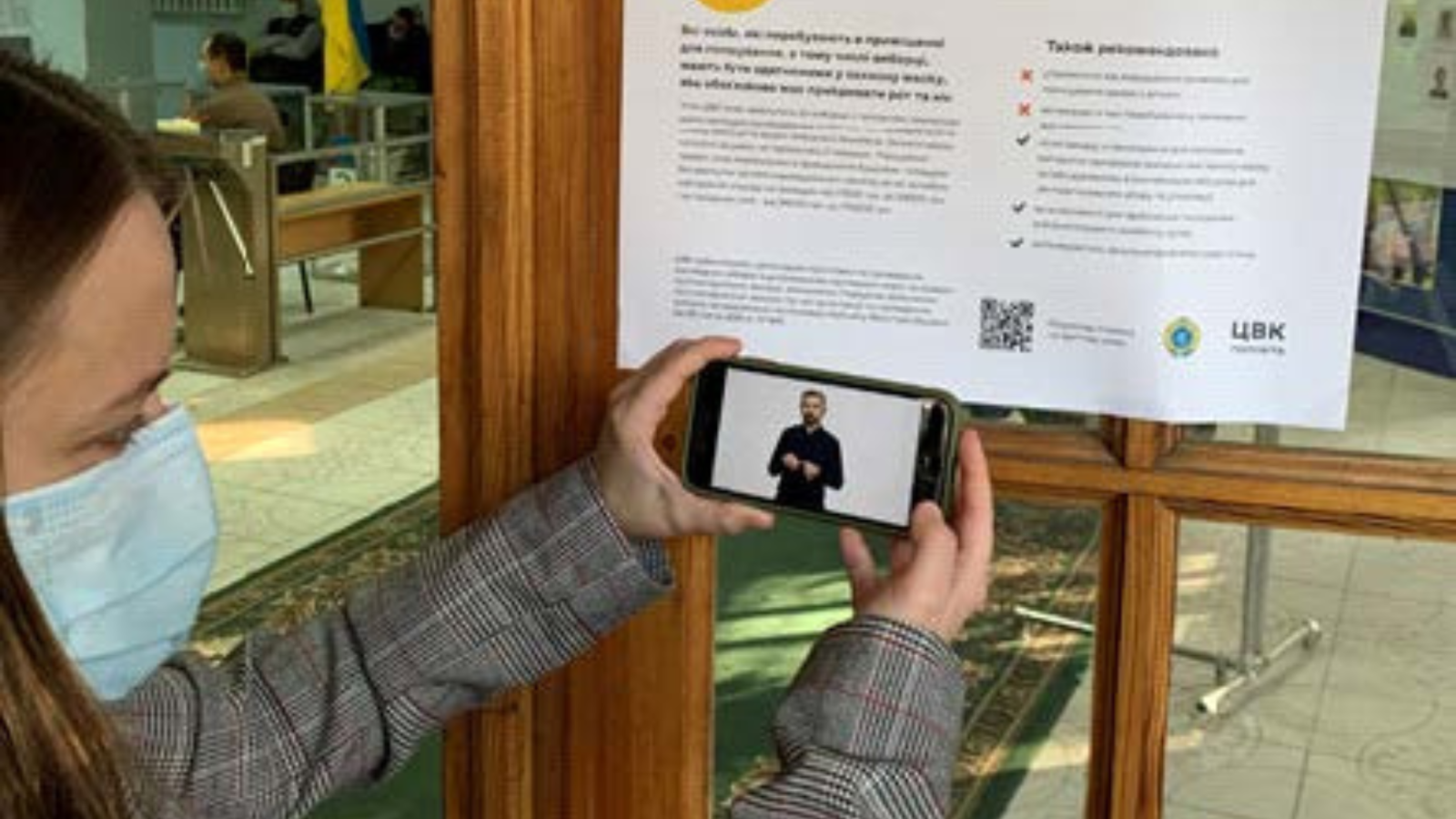
A woman holds up a smartphone to scan a QR code on a poster. Her smartphone plays a video of a person using sign language.
Best Practices for Accessible QR Codes
- Use a reputable tool to generate QR codes. Those listed below are available at no cost.
- Adobe Express Generate QR Code tool.
- QR-Code Generator, endorsed by Microsoft for Windows.
- Open source QR Code tool, available as a Firefox add-on.
- Confirm that the website or app to which the QR code links is fully accessible for persons with disabilities.
- Ensure QR codes link to secure websites; monitor linked websites, particularly during the campaigning, election, and immediate post-election periods.
- Label QR codes so users know what information they can access by scanning them.
- If a QR code will appear on a poster or flyer, make sure it is printed at a size that makes scanning easier for persons with visual disabilities.
- Place QR codes in locations that are easy for persons with mobility considerations, including those who use wheelchairs, to locate and scan.
- Monitor QR codes posted on materials like posters or brochures to identify and, if necessary, replace any that are damaged or vandalized.
Resources
Center for Civic Design. (2022, June 14). QR codes and short URLs get voters to information quickly.
Roussey, B. Making QR codes more accessible and improving business accessibility.
Explore the series
Explore the full series.
Exploring principles for using technology to support election access and inclusion.
Lessons to make social media accessible for all people.
Using technology to make voter registration accessible.
Audio and video can make voter education more accessible.
Making election data accessible.